# versatiles-style
**Repository Path**: gisRC/versatiles-style
## Basic Information
- **Project Name**: versatiles-style
- **Description**: No description available
- **Primary Language**: Unknown
- **License**: Unlicense
- **Default Branch**: main
- **Homepage**: None
- **GVP Project**: No
## Statistics
- **Stars**: 0
- **Forks**: 0
- **Created**: 2025-08-28
- **Last Updated**: 2025-08-28
## Categories & Tags
**Categories**: Uncategorized
**Tags**: None
## README
[](https://www.npmjs.com/package/@versatiles/style)
[](https://codecov.io/gh/versatiles-org/versatiles-style)
[](https://github.com/versatiles-org/versatiles-style/actions/workflows/ci.yml)
[](https://github.com/versatiles-org/versatiles-style/releases/latest)
# VersaTiles Style
**VersaTiles Style** generates styles and sprites for MapLibre.
---
## Styles Overview
| Style Name | Preview |
| ------------- | ----------------------------------------------------------------------------------------------------- |
| **colorful** | 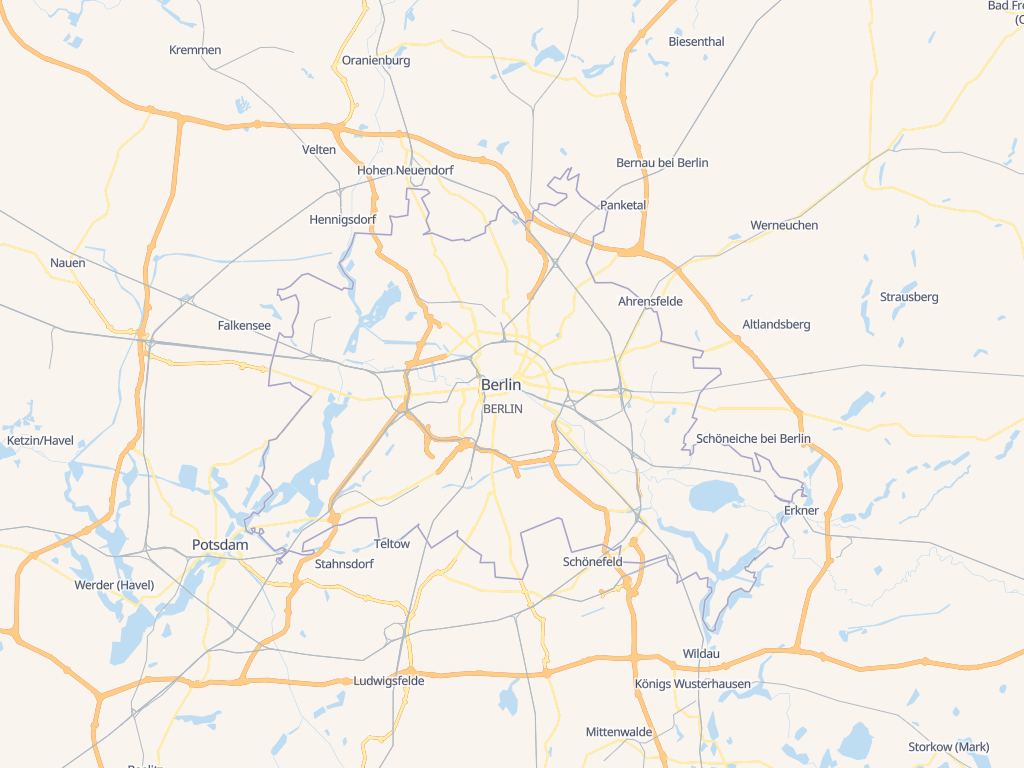 |
| **graybeard** |
|
| **graybeard** | 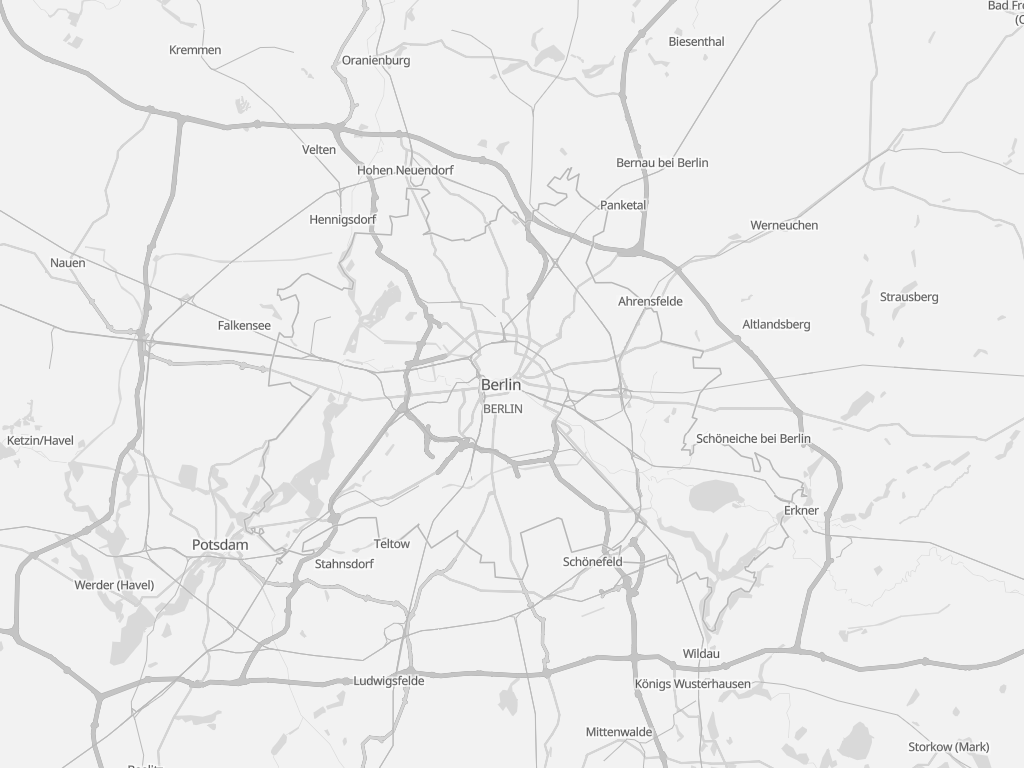 |
| **eclipse** |
|
| **eclipse** | 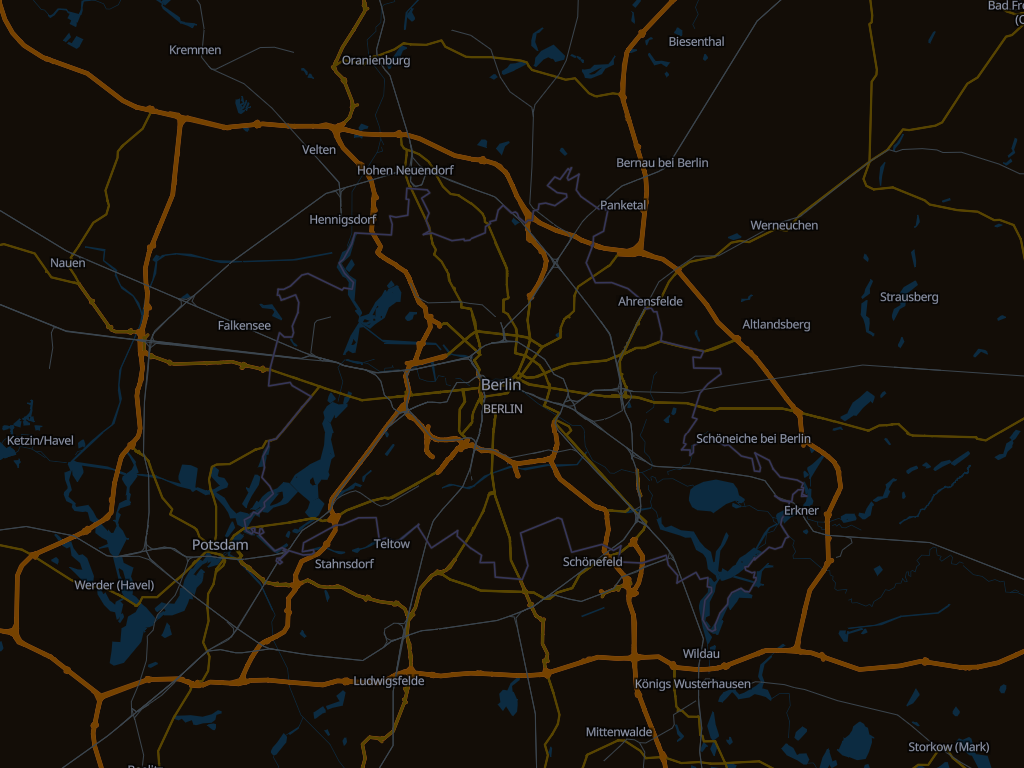 |
| **neutrino** |
|
| **neutrino** | 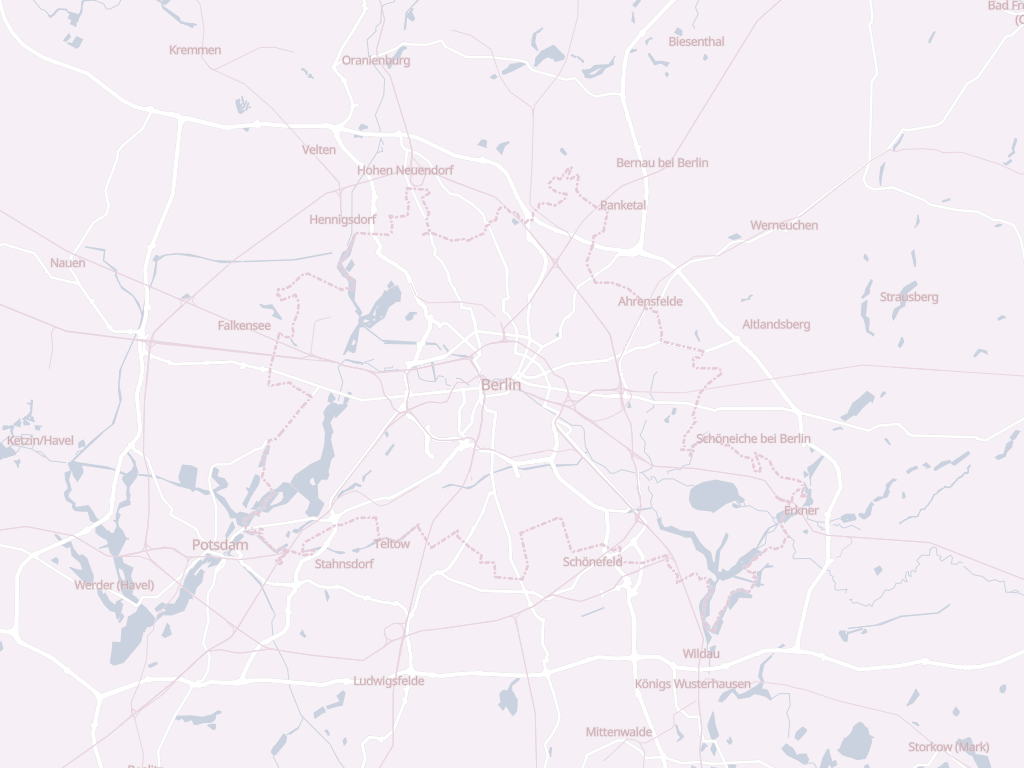 |
| **shadow** |
|
| **shadow** | 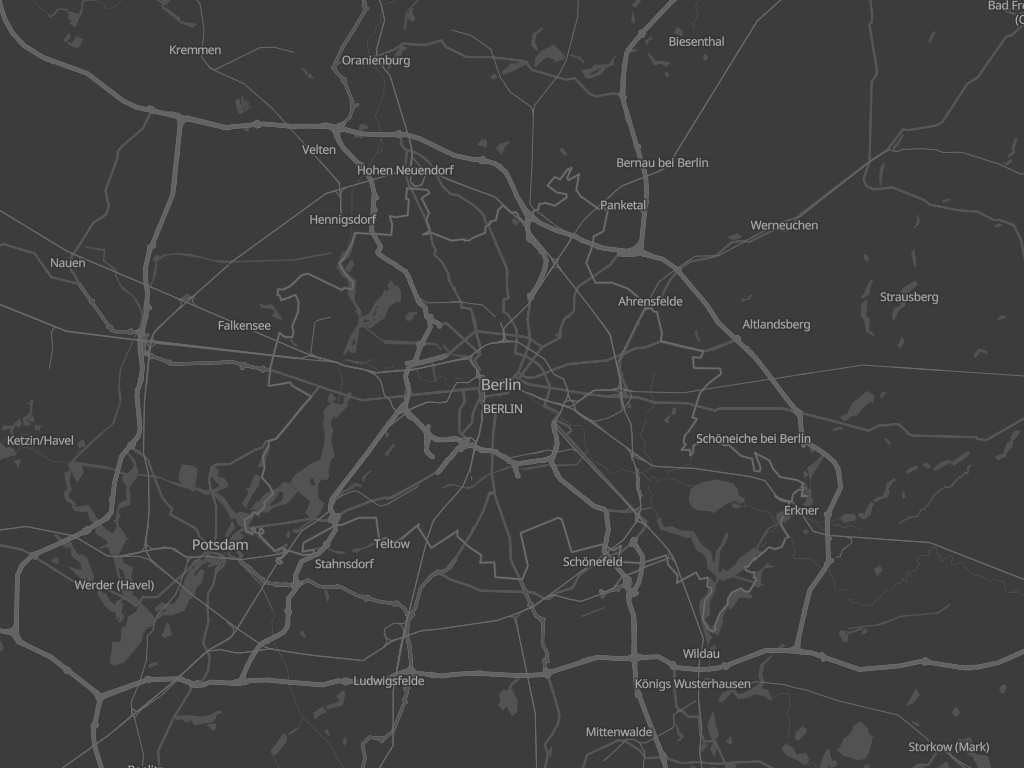 |
---
## Using VersaTiles Styles
### Prebuilt Styles and Sprites
Download the assets from the [latest release](https://github.com/versatiles-org/versatiles-style/releases/latest/):
- **[styles.tar.gz](https://github.com/versatiles-org/versatiles-style/releases/latest/download/styles.tar.gz):** Contains all styles in multiple languages.
- **Note:** These styles use `tiles.versatiles.org` as the source for tiles, fonts (glyphs), and icons (sprites).
- **[sprites.tar.gz](https://github.com/versatiles-org/versatiles-style/releases/latest/download/sprites.tar.gz):** Includes map icons and other sprites.
- **[versatiles-style.tar.gz](https://github.com/versatiles-org/versatiles-style/releases/latest/download/versatiles-style.tar.gz):** Contains a JavaScript file to generate styles dynamically in the browser.
---
## Generating Styles On-the-Fly
### Frontend Usage (Web Browser)
Download the latest release:
```bash
curl -Ls "https://github.com/versatiles-org/versatiles-style/releases/latest/download/versatiles-style.tar.gz" | gzip -d | tar -xf -
```
Integrate it into your HTML application:
```html
```
### Backend Usage (Node.js)
Install the library via NPM:
```bash
npm install @versatiles/style
```
Generate styles programmatically:
```javascript
import { colorful } from "@versatiles/style";
import { writeFileSync } from "node:fs";
const style = colorful({
language: "en",
});
writeFileSync("style.json", JSON.stringify(style));
```
---
## Style Generation Methods
The library offers the following style generation methods:
- `colorful(options)` - [Documentation](https://versatiles.org/versatiles-style/functions/colorful.html)
- `eclipse(options)` - [Documentation](https://versatiles.org/versatiles-style/functions/eclipse.html)
- `graybeard(options)` - [Documentation](https://versatiles.org/versatiles-style/functions/graybeard.html)
- `neutrino(options)` - [Documentation](https://versatiles.org/versatiles-style/functions/neutrino.html)
- `shadow(options)` - [Documentation](https://versatiles.org/versatiles-style/functions/shadow.html)
**`options`**: An optional object to customize the styles. [Learn more](https://versatiles.org/versatiles-style/interfaces/StyleBuilderOptions.html)
### Guess Style Method
```javascript
const style = guessStyle(options);
```
[Documentation](https://versatiles.org/versatiles-style/functions/guessStyle.html)
---
## Build Instructions
### Prerequisites
To build new sprites, ensure `optipng` is installed.
### SVG Source Requirements
- SVGs must consist only of paths and should not contain any `transform()` attributes.
- Styles and colors within the SVG are ignored.
- All length values must be specified in pixels without units.
### Configuration
Define icon sets in the configuration file: [`scripts/config-sprites.ts`](./scripts/config-sprites.ts)
---
## Development
Run the project in development mode:
```bash
npm run dev
```
A local server will be available at . Use it to select a style, edit definitions in `src/styles/...`, and reload the page to view the changes.
### Dependency Graph
```mermaid
---
config:
layout: elk
---
flowchart TB
subgraph 0["src"]
subgraph 1["color"]
2["abstract.ts"]
3["hsl.ts"]
4["hsv.ts"]
5["rgb.ts"]
6["utils.ts"]
7["index.ts"]
8["random.ts"]
end
subgraph 9["guess_style"]
A["guess_style.ts"]
Z["index.ts"]
end
subgraph B["lib"]
C["utils.ts"]
end
subgraph D["styles"]
E["index.ts"]
F["colorful.ts"]
Q["eclipse.ts"]
R["empty.ts"]
S["graybeard.ts"]
T["neutrino.ts"]
U["shadow.ts"]
end
subgraph G["style_builder"]
H["style_builder.ts"]
M["decorator.ts"]
O["recolor.ts"]
P["types.ts"]
end
subgraph I["shortbread"]
J["index.ts"]
K["layers.ts"]
L["template.ts"]
N["properties.ts"]
end
subgraph V["types"]
W["index.ts"]
X["tilejson.ts"]
Y["vector_layer.ts"]
11["maplibre.ts"]
end
10["index.ts"]
end
3-->2
3-->4
3-->5
3-->6
4-->2
4-->3
4-->5
4-->6
5-->2
5-->3
5-->4
5-->6
7-->2
7-->3
7-->4
7-->5
8-->4
8-->6
A-->8
A-->C
A-->E
A-->W
A-->X
C-->7
E-->F
E-->Q
E-->R
E-->S
E-->T
E-->U
F-->H
H-->7
H-->C
H-->J
H-->M
H-->O
H-->P
J-->K
J-->L
M-->7
M-->C
M-->N
O-->7
Q-->F
R-->F
S-->F
T-->F
U-->F
W-->X
W-->Y
Z-->A
10-->7
10-->Z
10-->E
class 0,1,9,B,D,G,I,V subgraphs;
classDef subgraphs fill-opacity:0.1, fill:#888, color:#888, stroke:#888;
```
## Licenses
- **Source Code:** [Unlicense](./LICENSE.md)
- **Iconsets and Rendered Spritemaps:** [CC0 1.0 Universal](./icons/LICENSE.md)
|
---
## Using VersaTiles Styles
### Prebuilt Styles and Sprites
Download the assets from the [latest release](https://github.com/versatiles-org/versatiles-style/releases/latest/):
- **[styles.tar.gz](https://github.com/versatiles-org/versatiles-style/releases/latest/download/styles.tar.gz):** Contains all styles in multiple languages.
- **Note:** These styles use `tiles.versatiles.org` as the source for tiles, fonts (glyphs), and icons (sprites).
- **[sprites.tar.gz](https://github.com/versatiles-org/versatiles-style/releases/latest/download/sprites.tar.gz):** Includes map icons and other sprites.
- **[versatiles-style.tar.gz](https://github.com/versatiles-org/versatiles-style/releases/latest/download/versatiles-style.tar.gz):** Contains a JavaScript file to generate styles dynamically in the browser.
---
## Generating Styles On-the-Fly
### Frontend Usage (Web Browser)
Download the latest release:
```bash
curl -Ls "https://github.com/versatiles-org/versatiles-style/releases/latest/download/versatiles-style.tar.gz" | gzip -d | tar -xf -
```
Integrate it into your HTML application:
```html
```
### Backend Usage (Node.js)
Install the library via NPM:
```bash
npm install @versatiles/style
```
Generate styles programmatically:
```javascript
import { colorful } from "@versatiles/style";
import { writeFileSync } from "node:fs";
const style = colorful({
language: "en",
});
writeFileSync("style.json", JSON.stringify(style));
```
---
## Style Generation Methods
The library offers the following style generation methods:
- `colorful(options)` - [Documentation](https://versatiles.org/versatiles-style/functions/colorful.html)
- `eclipse(options)` - [Documentation](https://versatiles.org/versatiles-style/functions/eclipse.html)
- `graybeard(options)` - [Documentation](https://versatiles.org/versatiles-style/functions/graybeard.html)
- `neutrino(options)` - [Documentation](https://versatiles.org/versatiles-style/functions/neutrino.html)
- `shadow(options)` - [Documentation](https://versatiles.org/versatiles-style/functions/shadow.html)
**`options`**: An optional object to customize the styles. [Learn more](https://versatiles.org/versatiles-style/interfaces/StyleBuilderOptions.html)
### Guess Style Method
```javascript
const style = guessStyle(options);
```
[Documentation](https://versatiles.org/versatiles-style/functions/guessStyle.html)
---
## Build Instructions
### Prerequisites
To build new sprites, ensure `optipng` is installed.
### SVG Source Requirements
- SVGs must consist only of paths and should not contain any `transform()` attributes.
- Styles and colors within the SVG are ignored.
- All length values must be specified in pixels without units.
### Configuration
Define icon sets in the configuration file: [`scripts/config-sprites.ts`](./scripts/config-sprites.ts)
---
## Development
Run the project in development mode:
```bash
npm run dev
```
A local server will be available at . Use it to select a style, edit definitions in `src/styles/...`, and reload the page to view the changes.
### Dependency Graph
```mermaid
---
config:
layout: elk
---
flowchart TB
subgraph 0["src"]
subgraph 1["color"]
2["abstract.ts"]
3["hsl.ts"]
4["hsv.ts"]
5["rgb.ts"]
6["utils.ts"]
7["index.ts"]
8["random.ts"]
end
subgraph 9["guess_style"]
A["guess_style.ts"]
Z["index.ts"]
end
subgraph B["lib"]
C["utils.ts"]
end
subgraph D["styles"]
E["index.ts"]
F["colorful.ts"]
Q["eclipse.ts"]
R["empty.ts"]
S["graybeard.ts"]
T["neutrino.ts"]
U["shadow.ts"]
end
subgraph G["style_builder"]
H["style_builder.ts"]
M["decorator.ts"]
O["recolor.ts"]
P["types.ts"]
end
subgraph I["shortbread"]
J["index.ts"]
K["layers.ts"]
L["template.ts"]
N["properties.ts"]
end
subgraph V["types"]
W["index.ts"]
X["tilejson.ts"]
Y["vector_layer.ts"]
11["maplibre.ts"]
end
10["index.ts"]
end
3-->2
3-->4
3-->5
3-->6
4-->2
4-->3
4-->5
4-->6
5-->2
5-->3
5-->4
5-->6
7-->2
7-->3
7-->4
7-->5
8-->4
8-->6
A-->8
A-->C
A-->E
A-->W
A-->X
C-->7
E-->F
E-->Q
E-->R
E-->S
E-->T
E-->U
F-->H
H-->7
H-->C
H-->J
H-->M
H-->O
H-->P
J-->K
J-->L
M-->7
M-->C
M-->N
O-->7
Q-->F
R-->F
S-->F
T-->F
U-->F
W-->X
W-->Y
Z-->A
10-->7
10-->Z
10-->E
class 0,1,9,B,D,G,I,V subgraphs;
classDef subgraphs fill-opacity:0.1, fill:#888, color:#888, stroke:#888;
```
## Licenses
- **Source Code:** [Unlicense](./LICENSE.md)
- **Iconsets and Rendered Spritemaps:** [CC0 1.0 Universal](./icons/LICENSE.md)