# pagingSlider
**Repository Path**: mirrors_linslin/pagingSlider
## Basic Information
- **Project Name**: pagingSlider
- **Description**: :herb: Inspired by http://coenraets.org/blog/2013/03/hardware-accelerated-page-transitions-for-mobile-web-apps-phonegap-apps/ I have written an extension. This extension allows the page slider to control several pages away, retrieve individual pages and sliden from one side to another.
- **Primary Language**: Unknown
- **License**: Not specified
- **Default Branch**: master
- **Homepage**: None
- **GVP Project**: No
## Statistics
- **Stars**: 0
- **Forks**: 0
- **Created**: 2020-08-09
- **Last Updated**: 2026-05-16
## Categories & Tags
**Categories**: Uncategorized
**Tags**: None
## README
# pagingSlider
=======================
## What is it?
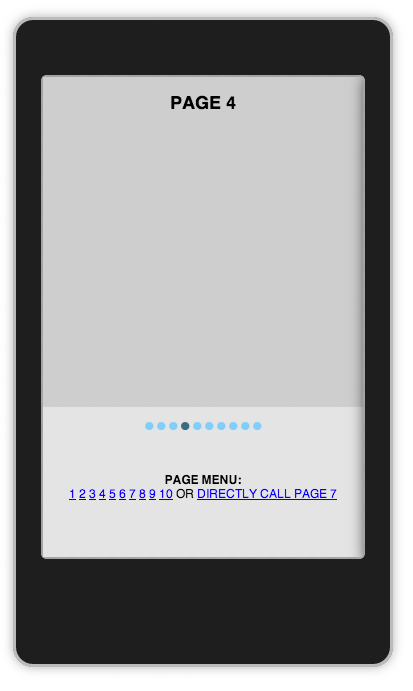
pagingSilder brings you Hardware-Accelerated Page Transitions for Web / Mobile Web Apps / PhoneGap Apps.
Inspired by http://coenraets.org/blog/2013/03/hardware-accelerated-page-transitions-for-mobile-web-apps-phonegap-apps/
I have written an extension. This extension allows the page slider to control several pages,
retrieve individual pages and slide from one side to another.
##### Why singleton pattern?
Using singleton pattern as class object makes the integration easy in the common way. Also singleton pattern does not
block a multiple use per page. You are able to create new instances of pagingSlider object like "var myPagingSlider = pagingSlider;".
### Demo
http://www.linslin.org/2015/01/13/css-hardware-accelerated-page-transitions/
## Features
- slide to pages with touch swipes by using Hardware-Accelerated Page Transitions
- auto switch to pages by clicking menu item
- call pages directly
- animated mobile pagebrowser
- integrated touch events with quoJS
- loop functionality
- disable/enable pointer foot menu
- multi sliders on one page support
## Install via bower
bower install linslin-pagingslider
## Useage
- Checkout and run app/index.html in Browser.
- Modify the Template
- Take a look at the demo directory for cordova-, web-examples & configurations
```html
pagingSlider